Monster Truck Coloring Page for KDP
If you're building a coloring book for Amazon Kindle Direct Publishing—or even planning your first KDP interior—you know how much hinges on one thing: the quality and flexibility of your source files. A Monster Truck Coloring Page for KDP isn’t just another clipart download. It’s a ready-to-deploy, print-optimized asset designed to save time, reduce formatting headaches, and deliver professional results—whether you’re creating for kids, adults, or both.
Think about it: You’ve got an idea for a themed coloring book—maybe “Monster Trucks & Mud” for elementary-aged kids, or “Rugged Rides” for teens who love high-octane design. You need clean line art that scales without pixelation, edits without breaking, and prints crisply on standard 8.5″ x 11″ paper. That’s where this set delivers—not as generic vectors, but as purpose-built KDP interior assets.
Why These Files Fit Real KDP Workflows
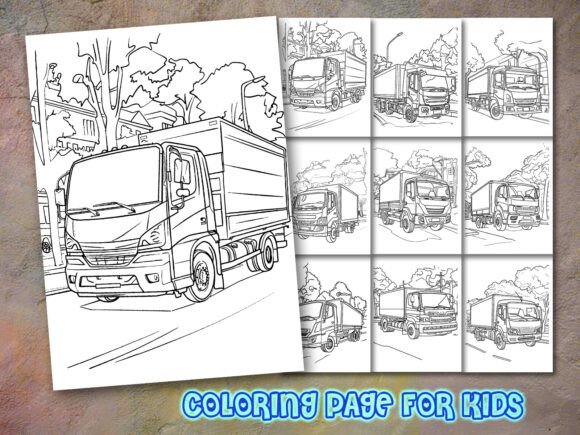
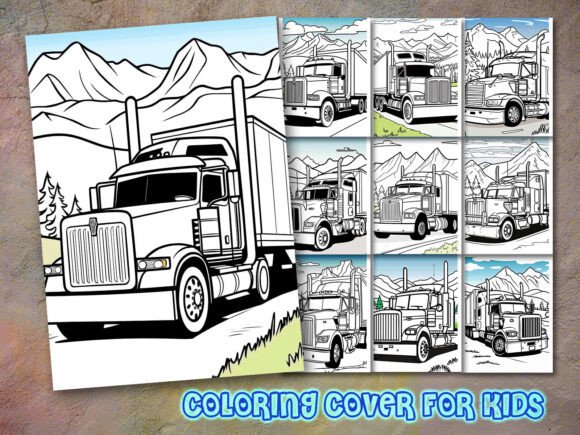
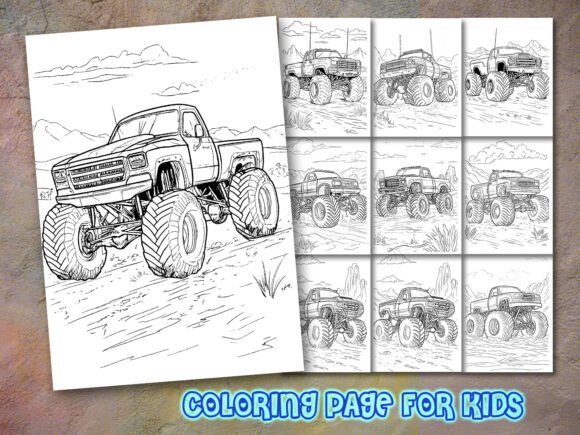
This collection includes 10 PNG files at 300 dpi, 10 EPS files, and 10 SVG files—all sized to 8.5″ x 11″. That means no resizing guesswork, no blurry edges when uploaded to KDP, and no last-minute panic over bleed or margin settings. The PNGs are perfect for quick interior assembly in Canva or Word if you're not editing deeply. The EPS and SVG files? Those are your “edit anytime” safety net—change line weight, recolor outlines, add custom text, or layer elements for themed spreads (like adding “VROOM!” speech bubbles or tire-trail backgrounds).
One creator told us she used the SVGs to build a 48-page book in under two days—swapping truck colors across pages to create visual variety, then exporting each as a high-res PDF for KDP upload. Another educator repurposed three of the designs into printable classroom handouts for a transportation-themed unit, adjusting line thickness so kindergarteners could color confidently with thick crayons.
Who Actually Uses Monster Truck Coloring Pages—and How
Self-publishing entrepreneurs use these pages to launch low-risk, high-margin books fast. Since monster trucks appeal across genders and age groups (especially ages 4–12), a well-designed interior can support multiple titles: “First Monster Truck Coloring Book,” “Big Wheels & Bold Lines,” or even bilingual editions (“Camiones Monstruo: Coloring en Español”). No need to hire an illustrator—you get polished, consistent artwork out of the box.
Educators and homeschoolers often download these not for resale, but for tactile learning tools. One mom printed four copies of the same truck page and used them for sequencing activities: “Draw what happens before the jump… during… after landing.” Another teacher laminated the pages and used dry-erase markers for motor-skill warm-ups—tracing tires, outlining flames, or connecting numbered dots along exhaust pipes. The bold, uncluttered lines make those adaptations possible.
Therapeutic practitioners and activity coordinators also find value here—not just for kids, but for older audiences. A senior center volunteer shared how they simplified one of the truck outlines (using the SVG to delete fine details) and turned it into a large-print coloring sheet for residents with low vision. The original line art was clean enough to adapt without losing character—something many free downloads can’t claim.
What to Check Before You Build With These Pages
Not all “KDP-ready” files behave the same way. Before you drop these into your interior layout, consider:
- Line consistency: Do all 10 pages share similar stroke weight and spacing? (These do—no jarring jumps from thin to thick lines between pages.)
- White background integrity: Are PNGs truly transparent-capable, or do they have subtle gray halos? (These export cleanly with true white or transparent backgrounds—critical for layered designs.)
- Editing stability: Will opening the EPS in Illustrator or the SVG in Inkscape preserve layers and grouping? (Yes—each file is organized, labeled, and non-destructive.)
- KDP compliance: Do dimensions match KDP’s recommended interior specs? (Yes—8.5″ x 11″ at 300 dpi meets their print requirements for standard trim sizes.)
If you've ever uploaded a PDF only to get KDP’s “low-resolution image” warning—or spent hours fixing stray pixels in a JPEG—you’ll appreciate how much smoother the process becomes when your source files are built for publishing, not just printing.
More Than Just Trucks—It’s Creative Control
These aren’t cartoonish, oversimplified silhouettes. Each Monster Truck Coloring Page for KDP balances bold presence with thoughtful detail: chunky treads, expressive headlights, exaggerated suspension, and room for imagination—whether a child adds rainbow flames or an adult renders realistic mud splatter with colored pencils. That versatility is why creators mix them across audiences: one page might anchor a kids’ book, while another—with minimal tweaks—becomes part of a stress-relief pack for adults who grew up loving monster truck rallies.
And because the files include both raster (PNG) and vector (EPS/SVG) formats, you’re covered whether you’re batch-exporting dozens of pages in Affinity Publisher or doing light touch-ups in Cricut Design Space for physical giveaways. No subscription. No watermark. Just clean, commercial-use art you control.
Final Thought: Start Where Your Audience Is
You don’t need a 100-page book to test demand. Many successful KDP sellers start with a tight 24-page theme—like “5 Monster Trucks + 5 Bonus Scenes”—using exactly this kind of interior. They validate interest with a low-cost paperback, then expand based on reviews and sales velocity. Others bundle the pages into digital downloads on Etsy or their own site, pairing them with simple instructions for parents (“How to Turn This Page Into a Story Prompt”).
The real advantage of a Monster Truck Coloring Page for KDP isn’t just convenience—it’s confidence. Confidence that your interior looks pro, prints sharp, adapts easily, and connects with readers who love big machines, bold lines, and the joy of filling them in—your way.